Letterblade
Open and read Outlook .msg files — no Outlook required.
Download for macOS (Apple Silicon) Download for Windows (x64) Download for Linux (x86_64)
Version 1.0.0 · code-signed on macOS and Windows · Java runtime bundled · available on all three desktop platforms.
What you get
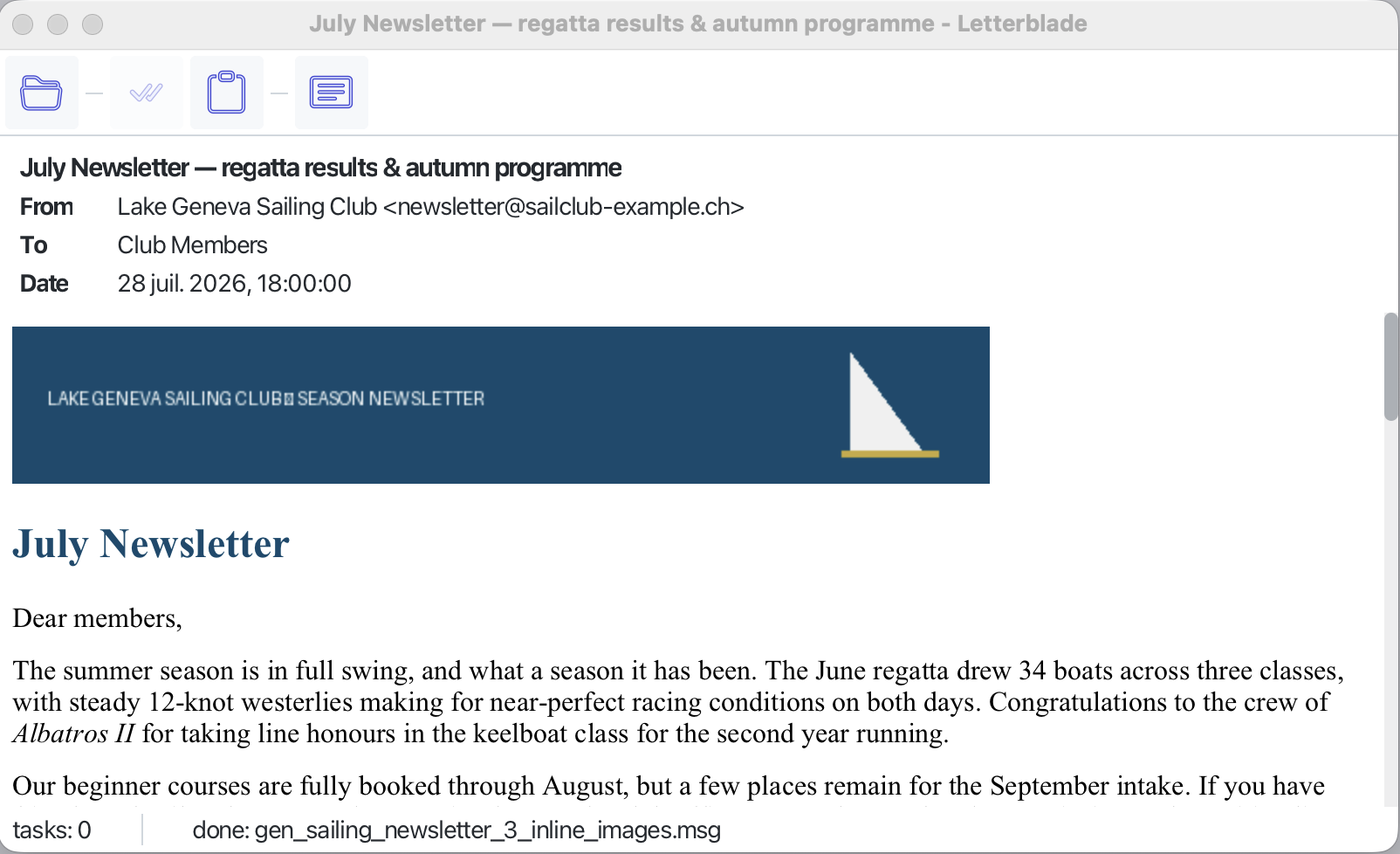
Someone sends you a .msg file. You don’t have Outlook — you’re on a Mac, or you simply never installed it. Letterblade opens the file and shows you the message the way it was meant to be read: formatting, inline images, attachments, the works.
- Open it your way. Drop a
.msgfile onto the window, or use Open. - The message as intended. HTML mail renders with its formatting and inline images; a plain-text view is one click away.
- The envelope at a glance. From, To, CC, date, and subject sit above the message.
- Attachments, on your terms. Each attachment appears as a chip — save it to disk, or hand it to your usual application. Nothing ever opens by itself.
- Messages inside messages. A forwarded message attached as
.msgopens in its own window, attachments and all. - Copy that works. Select all and copy give you clean text from the message itself.
Private by default
Email is a favourite delivery route for tracking and worse, so Letterblade is careful on your behalf:
- Remote images are blocked until you ask for them. Tracking pixels stay blind; a bar tells you how many images were held back, and one click loads them for that message only.
- Scripts and active content are stripped before the message is rendered.
- Attachments never run or open automatically — you decide what happens to each one.
- Your mail stays on your machine. Letterblade reads files locally; nothing is uploaded anywhere.
Which direction next?
Letterblade does one thing today: it opens .msg files and treats them with care. Where it goes from here is decided the honest way: by whoever turns up and asks. So, what do you want? Open an issue (or 👍 an existing one) and say what you’d use it for:
- A message that didn’t open, or didn’t look right — the most valuable report of all. Describe the message rather than attaching it; mail is private, and yours stays that way.
- More formats —
.eml, mbox, or something more exotic. - Doing more with a message — search inside it, print it, save it as PDF or HTML.
- A dark theme.
- Something that isn’t on this list — often the best kind.
Download
| Platform | Installer | Version | Status |
|---|---|---|---|
| macOS (Apple Silicon) | .dmg |
1.0.0 | Available |
| Windows 10 / 11 (x64) | .msix |
1.0.0 | Available |
| Linux (x86_64) | .AppImage |
1.0.0 | Available |
Verify the download:
# macOS — v1.0.0
shasum -a 256 Letterblade.dmg
# d868e2d5a68c1eab40bbc88d1e1f8d7c16286f41ee1bc6134fecfe1da966fb5e
# Windows (PowerShell) — v1.0.0
Get-FileHash Letterblade.msix -Algorithm SHA256
# a4d684936c199a874cc0045753adb9f46a7ad184554770986fdaa9b635048fcc
# Linux — v1.0.0
sha256sum Letterblade.AppImage
# 8f92114752bfd7a0598913d6d670165ce223f2bbb3863e32eac27069a8057a62
macOS — signed with an Apple Developer ID and notarized by Apple, so it opens with no Gatekeeper warning. You can verify with spctl -a -vv /Applications/Letterblade.app — it reports a Developer ID signature with Team ID F537XPA69T. Installed copies check for new releases and update themselves.
Windows — the .msix is Authenticode-signed and timestamped; Windows shows a verified publisher on install. As a new individual publisher, SmartScreen may still show a “Windows protected your PC” prompt on first download until the app builds reputation — click More info → Run anyway to proceed. Installed copies check for new releases and update themselves.
Linux — the .AppImage is a single self-contained file: make it executable (chmod +x Letterblade.AppImage) and run it, no installation and no root. It is unsigned, as AppImages generally are — verify the SHA-256 above if you want certainty about what you downloaded. Installed copies check for new releases, swap themselves in place and ask you to restart.
Requirements
- macOS 12 Monterey or later (Apple Silicon), Windows 10 / 11 (x64), or Linux (x86_64) with FUSE available — the usual requirement for running any AppImage. The Java runtime is bundled — no separate JDK needed.
.msgfiles as produced by Outlook (classic and modern Windows formats, RTF-encapsulated HTML included).